Free and open source. Built on hydra.
HYDRACTRL
Play hydra live. Saved scenes & MIDI support for when you're not coding, and a real editor for when you are.
Works right in your browser. The desktop apps for macOS and Windows add Syphon/Spout out.
// Tide · a HYDRACTRL starter scene// Change anything, then press Ctrl/⌘ + Enter to run itnoise(1.8, 0.04) .color(0.56, 0.1, 1) .modulate(osc(2, 0.03, 0).rotate(0.4), 0.3) .add( noise(3, 0.06) .thresh(0.55, 0.3) .color(0.05, 0.9, 0.55) .modulate(noise(1, 0.03), 0.2), 0.35 ) .brightness(-0.15) .out()
Built for the stage
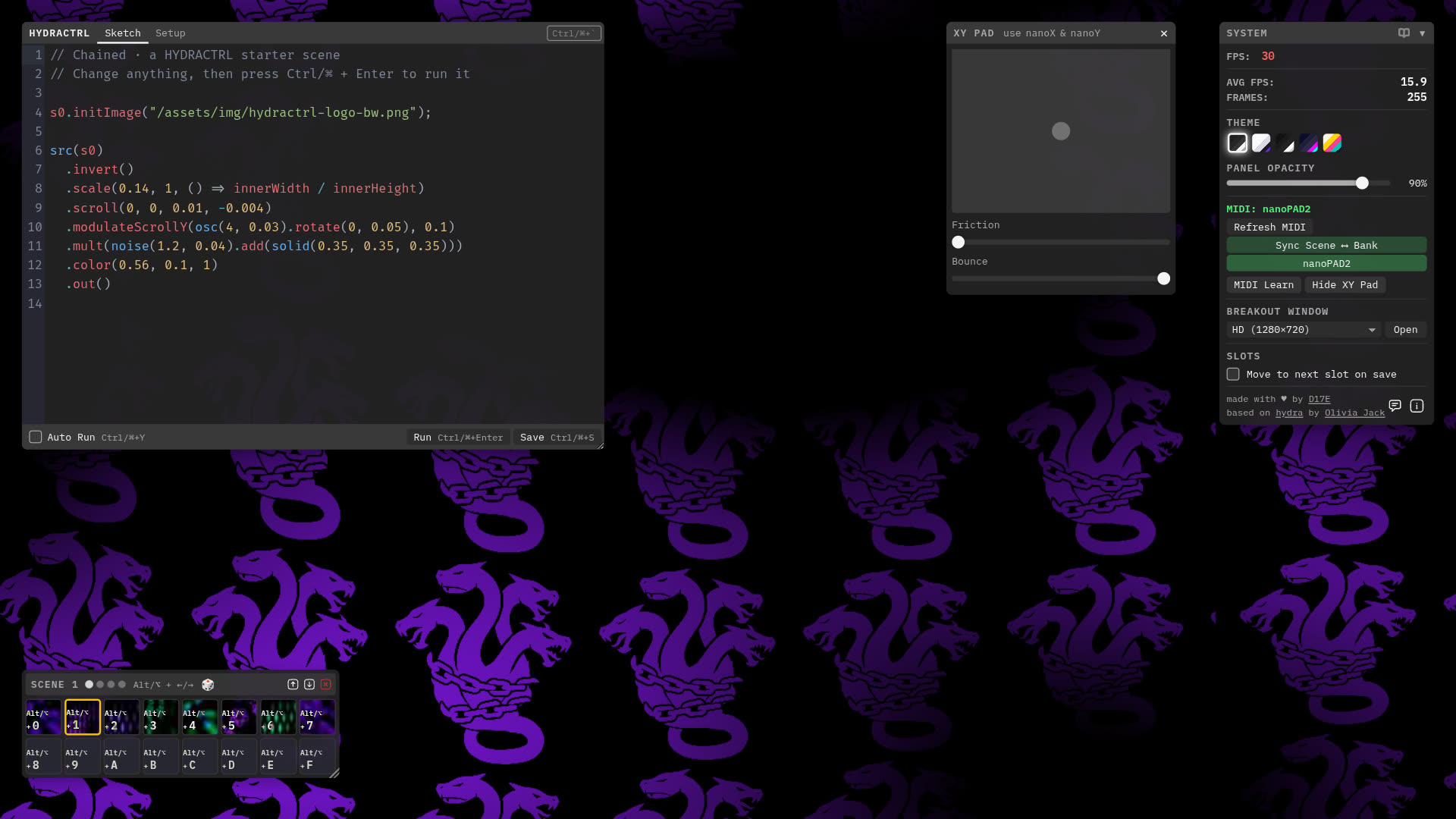
HYDRACTRL wraps hydra, Olivia Jack's live-codeable video synth, with live performance focused features. Recall a scene instead of typing it, play it with a MIDI controller, while keeping the code within reach.
-
Scenes
64 scenes in 4 banks of 16 slots, with thumbnails so you find them mid-set.
-
MIDI
Made for the Korg nanoPAD2. Pads recall scenes and switch banks; the touchpad feeds
nanoXandnanoYinto your sketches. -
XY pad
Flick it and a small physics engine keeps it bouncing. Works with a mouse too.
-
Editor
CodeMirror 6 with hydra-aware completions, error messages and auto-run, set in Fira Code with ligatures.
-
Audio
hydra's
a.fftout of the box, with a watchdog that revives audio when the browser suspends it. -
Breakout window
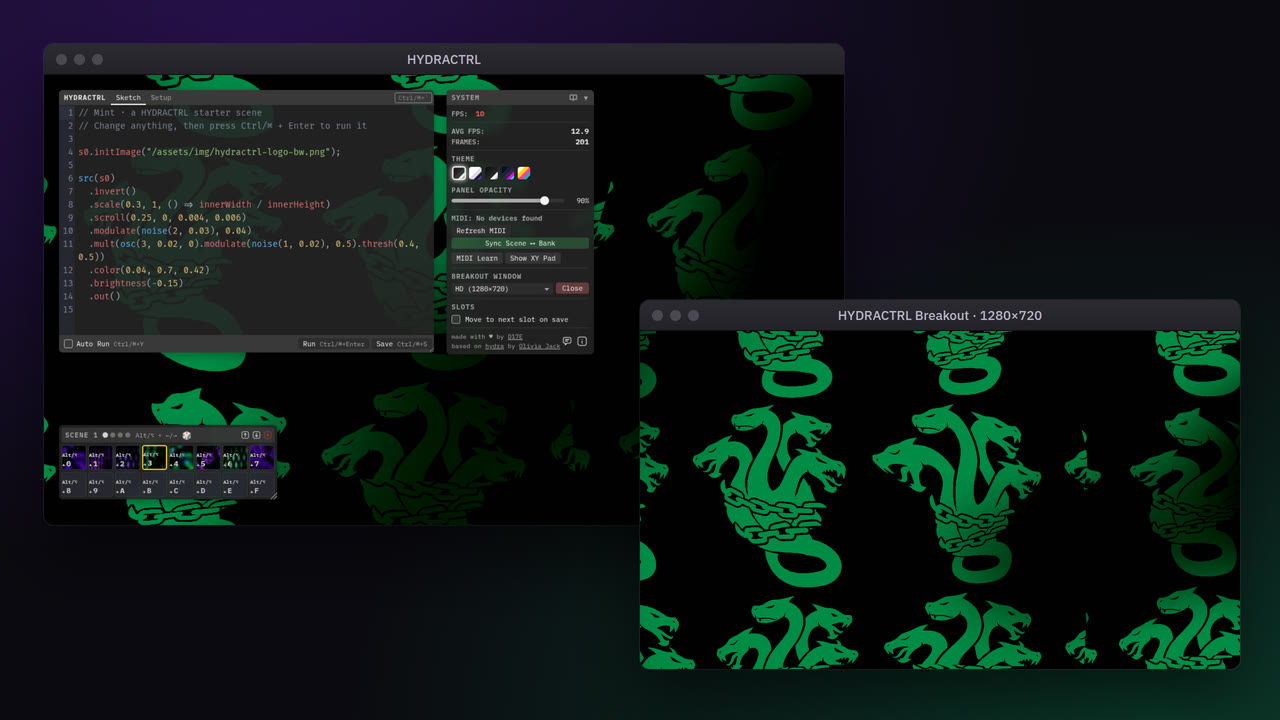
Send the visuals to a second window at an exact size, for a projector, a recording or an OBS window capture.
-
Themes
Five interface themes. Dial the panels down to see your visuals.
-
Setup code
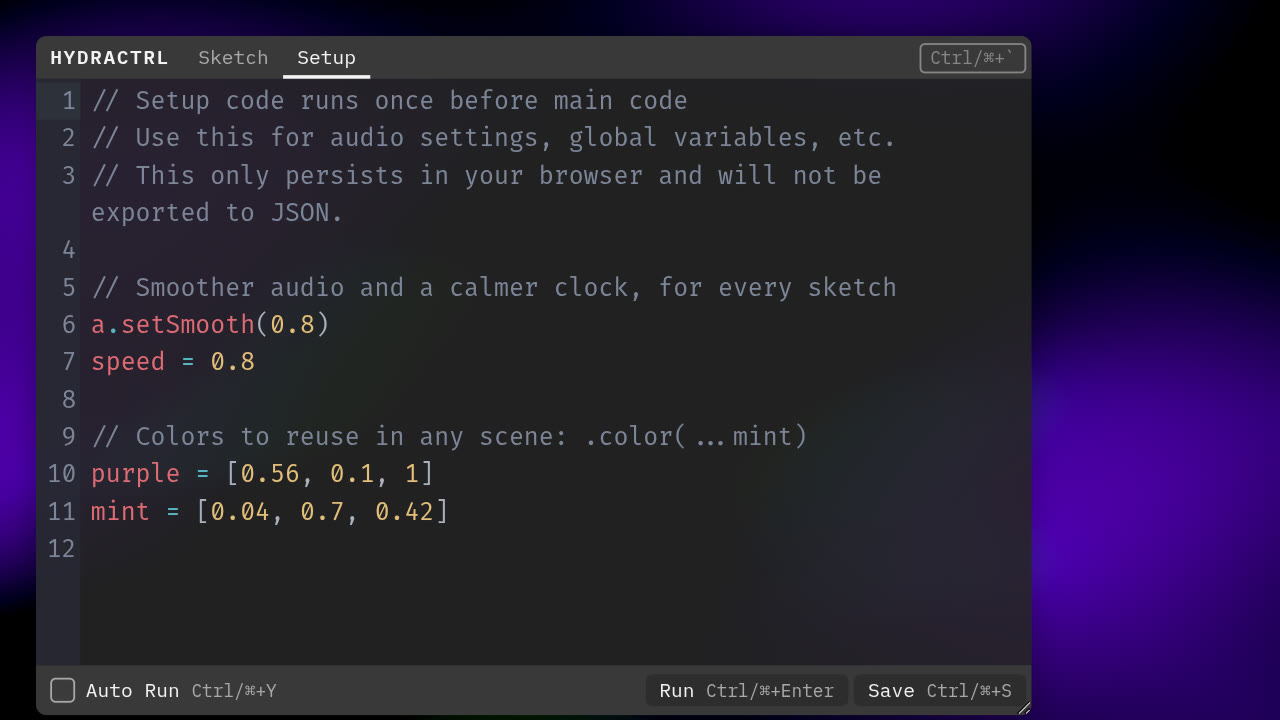
A setup tab that runs before every sketch, for audio settings and globals.
-
hydra docs
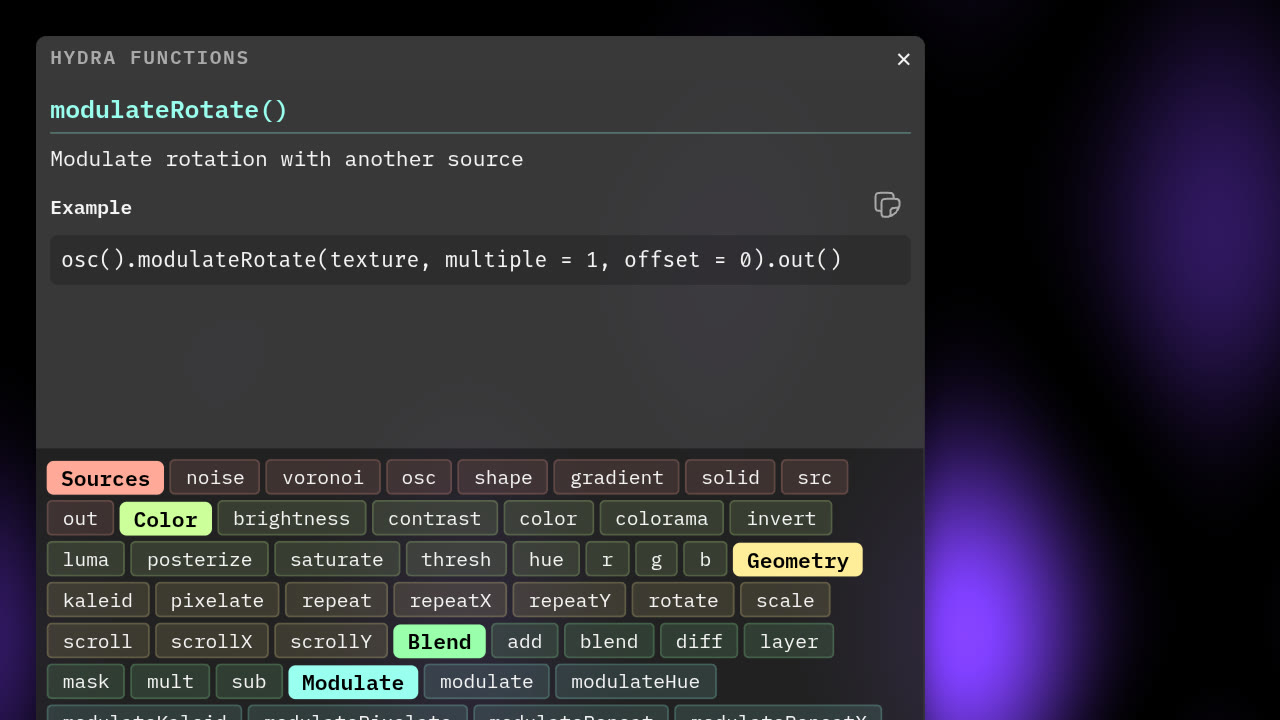
Every hydra function with parameters and examples, one click away.
-
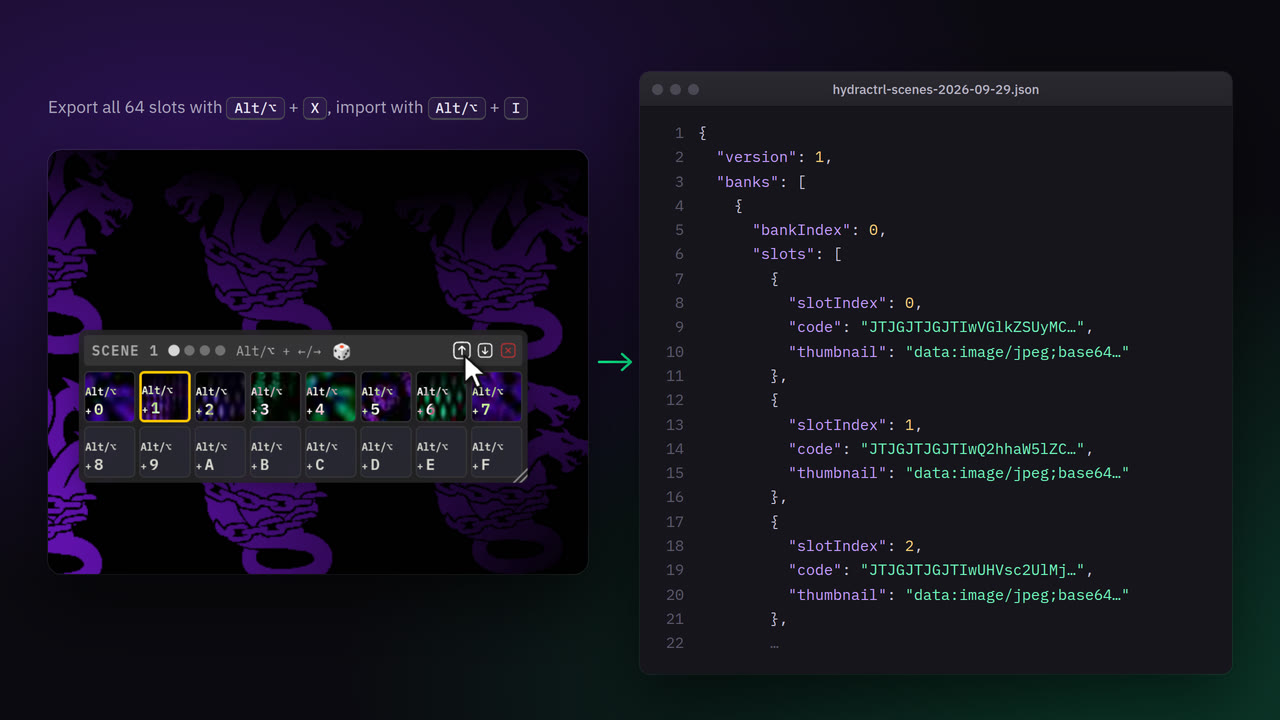
Banks
Save all 64 slots, thumbnails included, as one JSON file.
-
Your own images and videos
In the desktop app, drop a picture or a clip on the editor. HYDRACTRL copies it into its media folder and writes the line that loads it, like
s0.initVideo("/media/clip.mp4"). -
Sketches as links
Alt/⌥ + U copies a link with your sketch inside. Whoever opens it sees it running. The background of this page works the same way.
-
Plugins
Every feature is a plugin on a small core, so a broken one can't take down a live set. Write your own with the plugin docs.
In your browser, or on your desktop
Same interface, same scenes, same shortcuts. Start in the browser. Get the desktop app when your visuals need to go into Resolume, MadMapper, VDMX, TouchDesigner or OBS.
Browser
Nothing to install, always the latest version.
Open in browserScenes live in your browser. Export them as JSON to move them around.
- The whole interface (editor, 64 scenes, XY pad, hydra docs)
- MIDI in Chrome and Edge
- Breakout window
- Sketch links
Desktop
The same interface as an app, with a live feed for your VJ software.
Download the desktop appmacOS 11 or later (Apple Silicon or Intel). Windows 10 or 11 (64-bit).
- The whole interface (editor, 64 scenes, XY pad, hydra docs)
- MIDI
- Breakout window
- Sketch links
- Syphon output on macOS, Spout on Windows
- 720p to 4K or a custom size, 24 to 120 fps, optional alpha
- Your own sender name and a preview window
- Keeps running when the window is minimized or covered
- Drop your own images and videos into a sketch
- Audio starts without a click
- Start and stop the output with Cmd/Ctrl + Shift + O
- OBS or TouchDesigner on another computer can pick it up
How it works
The desktop app renders every frame once, shares it as a GPU texture through a Syphon server on macOS or a Spout sender on Windows, and shows that same frame in the interface. What you see is exactly what your VJ software gets with 0 latency.
Works with
- "Resolume"
- "MadMapper"
- "VDMX"
- "TouchDesigner"
- "OBS"
- "Millumin"
Tested at 1080p and 4K, a steady 60 fps into Resolume on an Apple Silicon Mac. Spout on Windows is new, so tell us how it runs.
Both versions keep your scenes on your computer. Move them between the two with bank export and import (Alt/⌥ + X / I).
HYDRACTRL Desktop
Free, for macOS and Windows. Your settings and scenes carry over when you install a newer version.
You're on a phone or tablet. Open this page on your Mac or PC to install the desktop app, or play in the browser right here.
Always the latest release from GitHub.
Which Mac do I have? Apple menu → About This Mac. "Chip: Apple M…" means Apple Silicon, "Processor: Intel" means Intel.
Linux? Syphon and Spout don't exist there, so use the browser version, or run the desktop app from source.
Opening the app for the first time
macOS
- Open the DMG and drag HYDRACTRL into Applications.
- Open it. The app is signed and notarized by Apple, so macOS only checks once that you meant to open an app from the internet. Click Open.
- Allow microphone access when asked, for audio-reactive sketches.
- The Syphon server is called
HYDRACTRL.
Windows
- Run the installer. The Windows build isn't code-signed yet, so SmartScreen may warn about an unrecognized app.
- Click More info, then Run anyway.
- HYDRACTRL shows up in the Start menu. The Spout sender is called
HYDRACTRL.
Release notes are in the changelog, every version is on the releases page, and the desktop README explains how to build it yourself.
Keyboard shortcuts
- Ctrl/⌘ + Enter
- Run the code
- Ctrl/⌘ + S
- Save to the active slot
- Ctrl/⌘ + `
- Hide or show the interface
- Esc
- Bring back a hidden interface
- Ctrl/⌘ + Y
- Toggle auto-run
- Alt/⌥ + U
- Copy the sketch as a link
- Alt/⌥ + 0–9 / A–F
- Select slot 1 to 16 of the bank
- Alt/⌥ + ← / →
- Previous or next bank (without MIDI)
- Alt/⌥ + X
- Export the banks
- Alt/⌥ + I
- Import banks
New to hydra?
- hydra documentation The official guide.
- Function reference Every hydra function, with examples.
- hydra internet garden The community's projects, tutorials and code.
- hydra book A thorough guide by Naoto Hieda.
Built with
- hydra by Olivia Jack
- CodeMirror 6, Bun and the Web MIDI API
- Electron and texture-bridge for Syphon and Spout
- Fira Code by Nikita Prokopov in the editor and IBM Plex Mono in the interface
- This page in Martian Mono by Evil Martians and Fira Code
- Random scene banks from sketches collected by Jamie Faye Fenton
Roadmap
What I'd like to add next, in no particular order.
- Better MIDI support More controllers than the Korg nanoPAD2.
- HY5 integration p5 and hydra in one sketch.
- OSC support Control HYDRACTRL from other apps.
- Improved auto-complete Better suggestions while you code.
- Hydra extensions browser Find hydra extensions and add them to a sketch.
- Community page Share what you make and play what others made.
- Your idea? Request a feature on GitHub, or give an open issue a thumbs-up.
Release news
Leave your email and I'll write when a new version is out. Only release news, nothing else.
On GitHub? Watch the repository and pick Custom → Releases.
Say hi
Hi, I'm David, a software engineer and artist living in Amsterdam. HYDRACTRL is a one-person project that I build out of love for hydra.
I wanted to play hydra in my own live sets, with scenes to recall, a nanoPAD2 to switch them and an editor that knows hydra. Nothing did all of that, so I built it. How I ended up building HYDRACTRL on my blog has the long version.
Ideas, questions, a show you played with it? Write me here. I read every message.
Found a bug? Open an issue on GitHub. Made something? Copy it as a link with Alt/⌥ + U and paste it in.
David, D17E